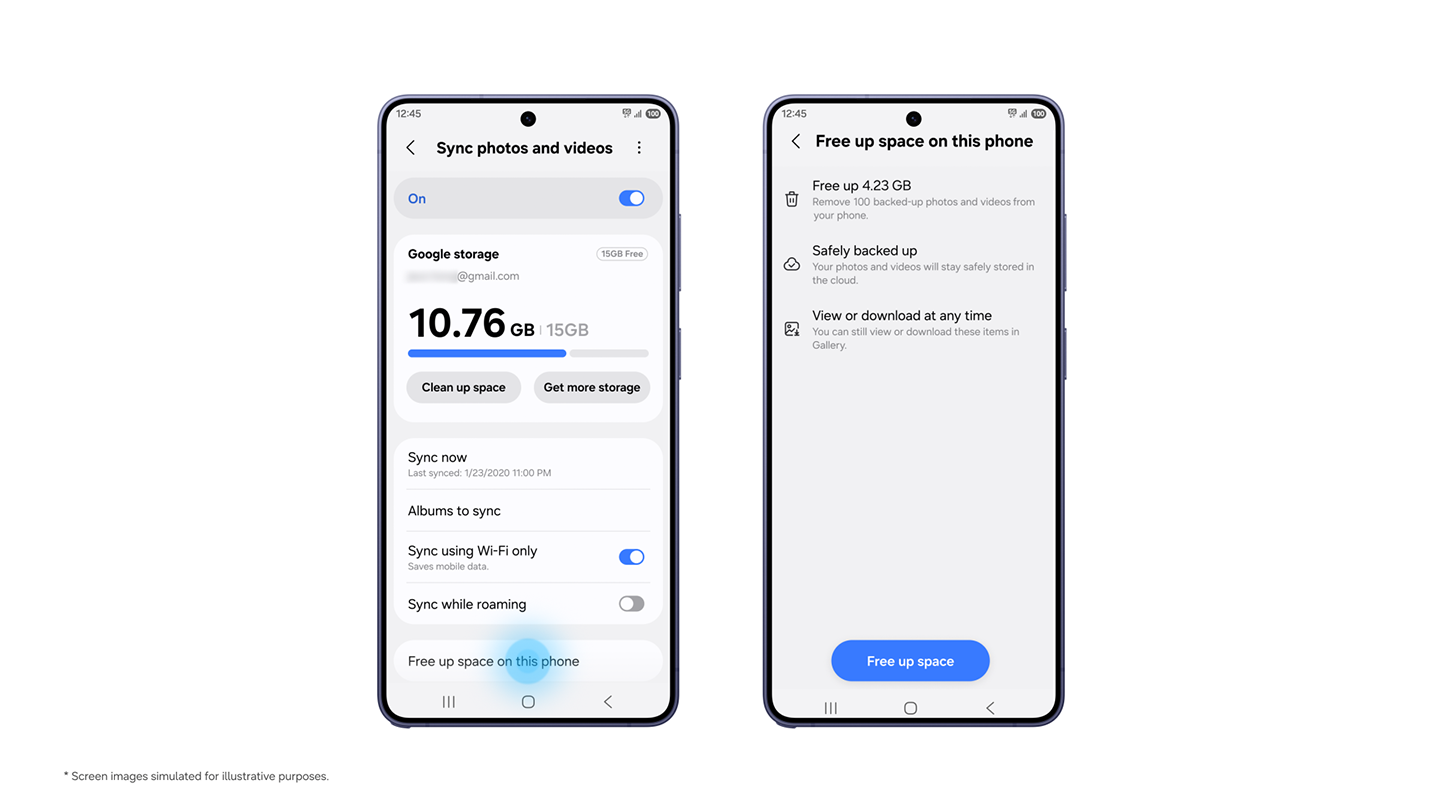
Samsung Gallery can now sync photos and videos with Google storage. In its November 10 announcement, Samsung describes easier access across Galaxy devices and a way to reclaim phone storage. The important detail: freeing up space and deleting a photo do different things.
Support begins with selected Galaxy phones and tablets running One UI 9, with more devices following in stages. Availability varies by market; having a Galaxy device alone does not guarantee access.
Same accounts, shared storage
On a supported device, open Gallery settings and enable “Sync photos and videos”, or tap the cloud icon. Use the same Samsung and Google accounts on each device and enable sync there too. A new Galaxy device can display previews while originals remain in the cloud; download individual files when needed.
At launch, Gallery shows content synced through Gallery after this service is enabled. Your older Google cloud library does not automatically appear inside the app.
There is no extra 15 GB allowance. Gallery uses the space available in your Google account. Google's free storage is shared with Gmail, Drive and Photos. Check what remains before uploading a large library, and select the account linked to your plan if you already pay for Google One.
Free up space without deleting your memories
After syncing, the “Free up space” option removes local originals but keeps thumbnails in Gallery. This is the control to use when the aim is to recover space on your phone while retaining cloud copies.
Ordinary deletion behaves differently. Samsung's explanation says deleting a synced item in Gallery also removes it from linked Google storage and other connected Galaxy devices using the same accounts.
That distinction makes sync unsuitable as your only protection against accidental deletion. For irreplaceable photos, consider keeping a separate copy. Our Quick Share and Windows backup guide explains the difference between a computer copy and cloud storage, including what remains unconfirmed about automatic transfers.
Your old OneDrive photos remain separate
Direct Gallery–OneDrive sync ended on September 30, 2026. Microsoft confirms that existing OneDrive photos remain accessible through its app or website. Enabling Google's option should not be treated as proof that an old OneDrive library has moved across.
Before clearing space, check the selected account and confirm syncing has finished. Use the dedicated space-saving option, not Delete, for photos you want to keep.


